Gnome door – guide and settings
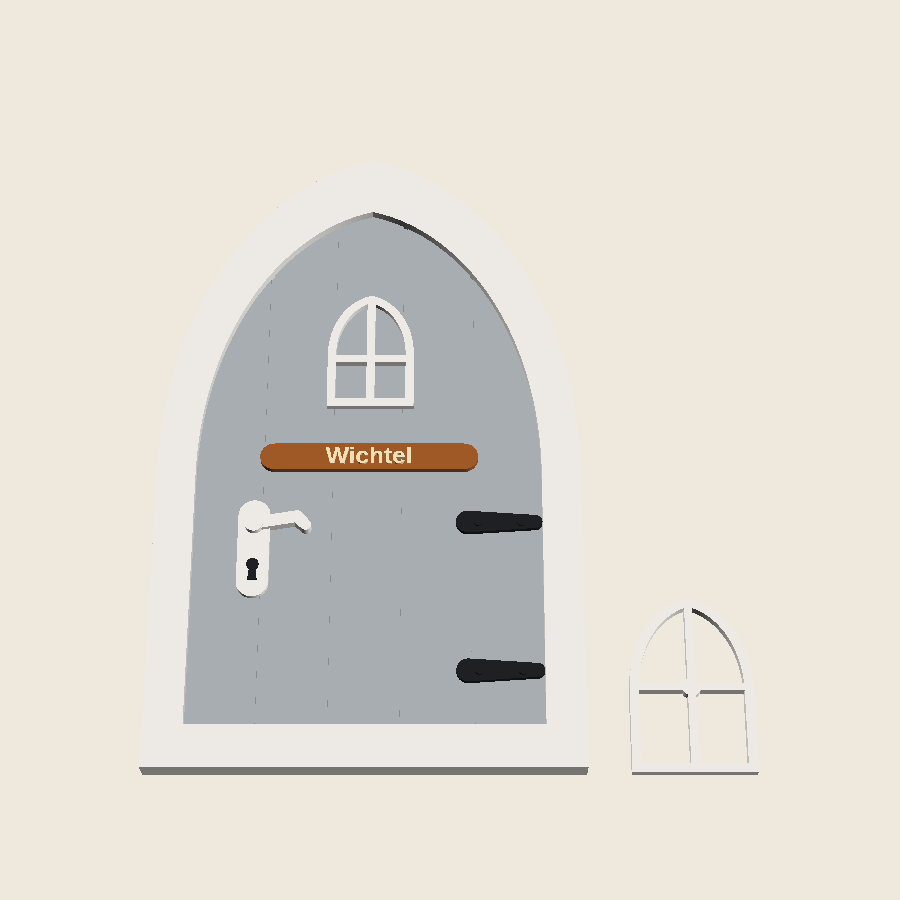
Flat decorative door with a pointed arch for the wall or skirting board – with window, fittings, handle and a name sign of your choice. For multi-colour printing as a coloured 3MF or each colour as its own STL.
Settings
Personalisation
- name: default Wichtel
Size
- width: default 120.0
- height: default 190.0
- wall window: default on
Export
- part: default All
Step by step
- Door and name Size of the door, a name on the sign above the handle and optionally a small window for the wall. “Part” gives every colour on its own for multi-colour printing.
- Preview and download “Generate preview” calculates the model again. The 3MF holds the colours – in the slicer you assign a filament to each colour; the STL is single-coloured.
- Help Behind the question mark you find this tour and answers to common questions.
Frequently asked questions
How do I print the door in several colours?
With the 3MF: every colour is its own part and gets a filament in the slicer. Without a multi-colour printer print the colours one by one as STL and glue them together.
How do I fix the door?
Double-sided tape or adhesive pads on the back – on the wall or the skirting board.