Wall pattern – guide and settings
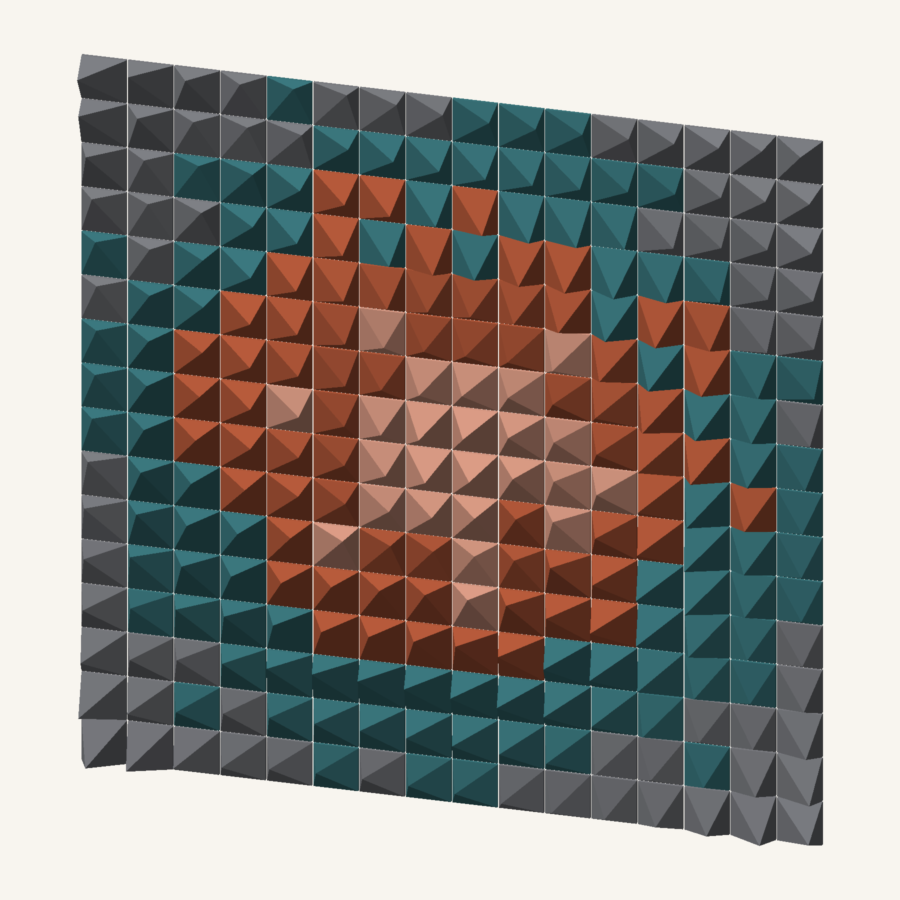
Wall art made of many single pieces: pyramids, faceted discs, curved pillows or blocks following a swirl, waves or one direction. Pick your colours; every piece is printed on its own, one colour per plate, numbered on the back, with a mounting plan.
Settings
Pattern
- pattern: default pyramids
- flow: default swirl
- lean: default 0.9
- turn of the tips (°): default 0.0
- twist: default 1.2
- scale: default 1.0
- direction (°): default 0.0
- centre left/right (%): default 0.0
- centre down/up (%): default 0.0
- variant: default 1.0
Colours
- palette: default coral
- number of colours: default 4.0
- colour 1: default #e9a68e
- colour 2: default #c2603f
- colour 3: default #3f7f86
- colour 4: default #85878c
- colours by: default distance
- colour direction (°): default 90.0
- mix at borders: default 0.25
Wall
- width (mm): default 600.0
- height (mm): default 600.0
- shape: default rect
Piece
- piece size (mm): default 30.0
- gap (mm): default 1.0
- base (mm): default 2.0
- tip height as: default mm
- lowest (mm): default 6.0
- highest (mm): default 20.0
- flattest flank (°): default 25.0
- steepest flank (°): default 50.0
- heights: default rings
- flat top: default 0.0
- turn with the flow: default off
- facets: default mix
- disc size: default 0.86
- curves: default checker
- number on the back: default on
Frequently asked questions
How is the wall art printed?
Every piece on its own, back down, without supports. The 3MF puts all pieces of one colour on plates of their own, so you never change filament. The ZIP holds the same plates as STL files.
How do I put the pieces on the wall?
Best glue them onto a light board (plywood, MDF, foam board) and hang the board. Every piece carries its name like “C12” on the back (row C from the top, column 12 from the left); the mounting plan in the ZIP shows where it goes. Draw a grid at the piece size on the board first.
Why does the preview change at once with a new colour?
Colours are painted right in your browser, the shape does not have to be calculated again. Only the download packs the print plates for the new colours.
How do I set the centre of the pattern?
Double-click the wall in the preview: the centre of the swirl moves there (the red ring). Or use the sliders “centre left/right” and “centre down/up”.
How much filament do I need?
The status bar shows the weight of the whole wall, the colour list the pieces and print plates per colour. Plan some extra.