Game box insert – guide and settings
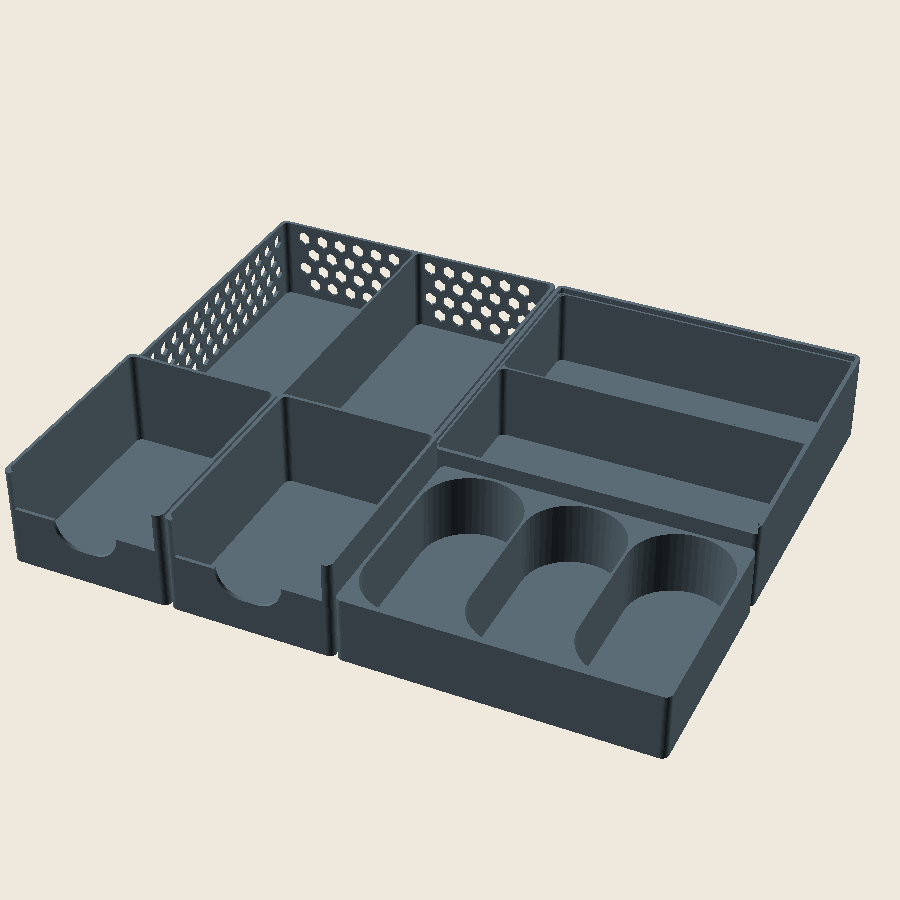
Inserts for the original box of your board or card game: measure the inside, place trays for cards, tokens and dice on the plan and divide each tray like a modular box – with compartments, finger grips and scoops. Every tray lifts out and is printed on its own; together they come as a 3MF spread over print plates or as an STL package.
Settings
Game box
- inner width: default 290.0
- inner depth: default 240.0
- inner height: default 70.0
- room on top (board, rules): default 8.0
- gap between trays and to the walls: default 1.0
Trays
- Trays: default Karten A|1|1|74|98|45|c|N|f0|f18~Karten B|76|1|74|98|45|c|N|f0|f18~Marker|151|1|138|98|30|h(1:c,1:c,1:c)|A||r~Würfel|1|100|143|139|40|h(1:c,1:c)|F||p~Spielerfarben|145|100|144|139|40|v(1:c,1:c)|N||lS
Walls
- wall: default 1.6
- floor: default 1.2
- divider thickness: default 1.2
Rounding
- outer corners: default 3.0
- compartment edges: default 3.0
- floor fillet: default 0.0
Wall pattern and lids
- wall pattern (trays with "pattern"): default Hexagon
- hole size: default 6.0
- play of the lids: default 0.25
Grip and scoop
- grip shape: default Round
- grip width: default 30.0
- grip depth: default 12.0
- cut the dividers too: default 10.0
- scoop radius: default 10.0
Step by step
- The plan This shows the box from above. Drag trays to their place and resize them at the bottom right corner. Beside the plan you set name, size, compartments, finger grips and scoops of the selected tray.
- Measure the box Enter the inside of the box here and how much room is left on top for board and rules. Wall, roundings and the grip shape apply to all trays.
- Preview and download “Generate preview” calculates all trays and shows them in the box. The 3MF spreads them over print plates, the STL package holds every tray as its own file.
Frequently asked questions
How do I measure the box?
Inside at the bottom from wall to wall, at the narrowest point. The height from the bottom to the top edge of the lower part. “Room on top” is what should lie on the trays: board, rules, player boards – better 1–2 mm more so the lid closes.
How large must a card tray be?
Measure the cards with sleeves. Inside, the tray needs about 1–2 mm of air on each side, plus two walls. “Size for cards” in the plan does the sum for you: enter card size and stack height, done.
How do I print the trays?
Each tray without supports, as it lies on the plate. The 3MF spreads all trays over as many plates as needed; in the STL package every tray is its own file. Best print one tray first and check the fit in the box.
Is the fit guaranteed?
The plan assumes a rectangular inside. It does not know rounded corners of the box, slanted walls or embossing in the floor – leave some room for that and print one tray as a test first.