Slab stand (foldable) – guide and settings
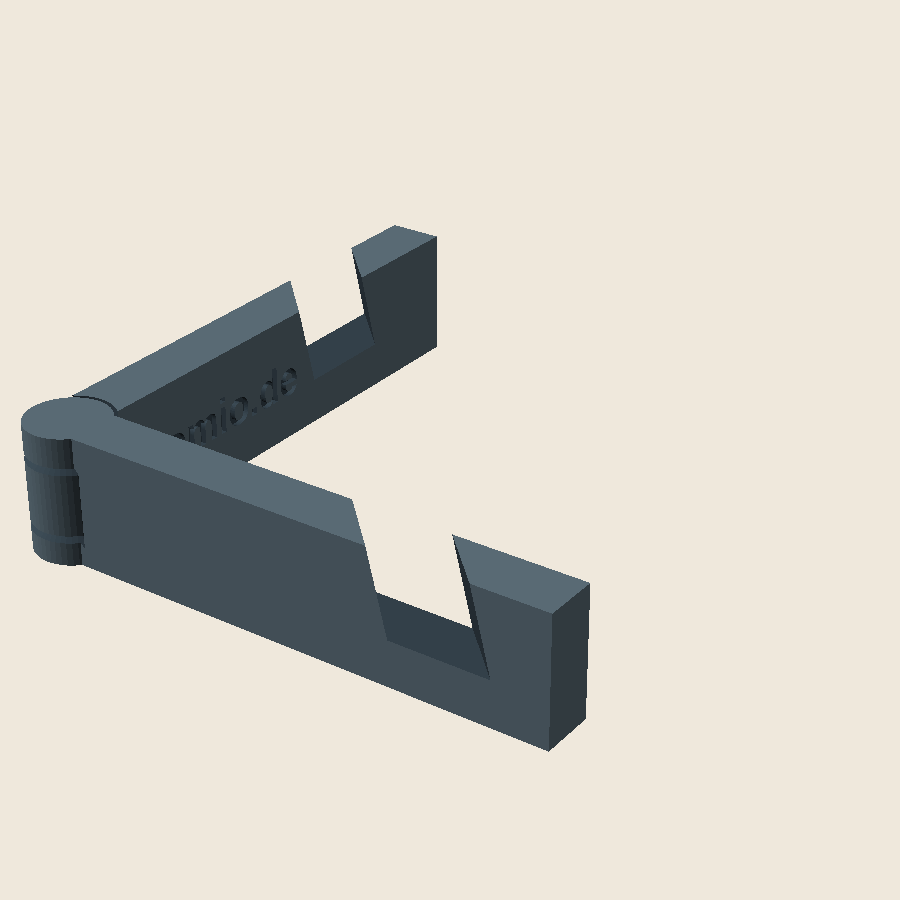
V-shaped stand for graded slabs: two arms with a hinge, the slab stands in the notches. Printed flat in one piece – the hinge forms during printing, no supports.
Settings
Slab
- grading company: default CloudCard
- width (custom): default 77.1
- height (custom): default 129.0
- thickness (custom): default 7.25
Stand
- opening angle: default 90.0
- lean: default 10.0
- notch margin: default 8.0
Fit
- hinge play: default 0.4
- room in the notch: default 0.6
Details
- arm height: default 14.0
- arm thickness: default 6.0
- notch depth: default 9.0
- post length: default 5.0
Step by step
- Slab and angle Choose the grading company (or custom sizes) and how far the slab leans. The stand prints stretched out in one piece – the hinge forms while printing.
- Preview and download “Generate preview” calculates the model again (with Fomio Pro on every change by itself). Then download it as STL or 3MF.
- Help Behind the question mark you find this tour and answers to common questions.
Frequently asked questions
The hinge is stuck after printing.
Move it carefully back and forth once. If it stays stuck, raise the “hinge play” in “Expert” a little.
Do I need supports?
No, the stand prints flat without supports.