Slab wall ledge – guide and settings
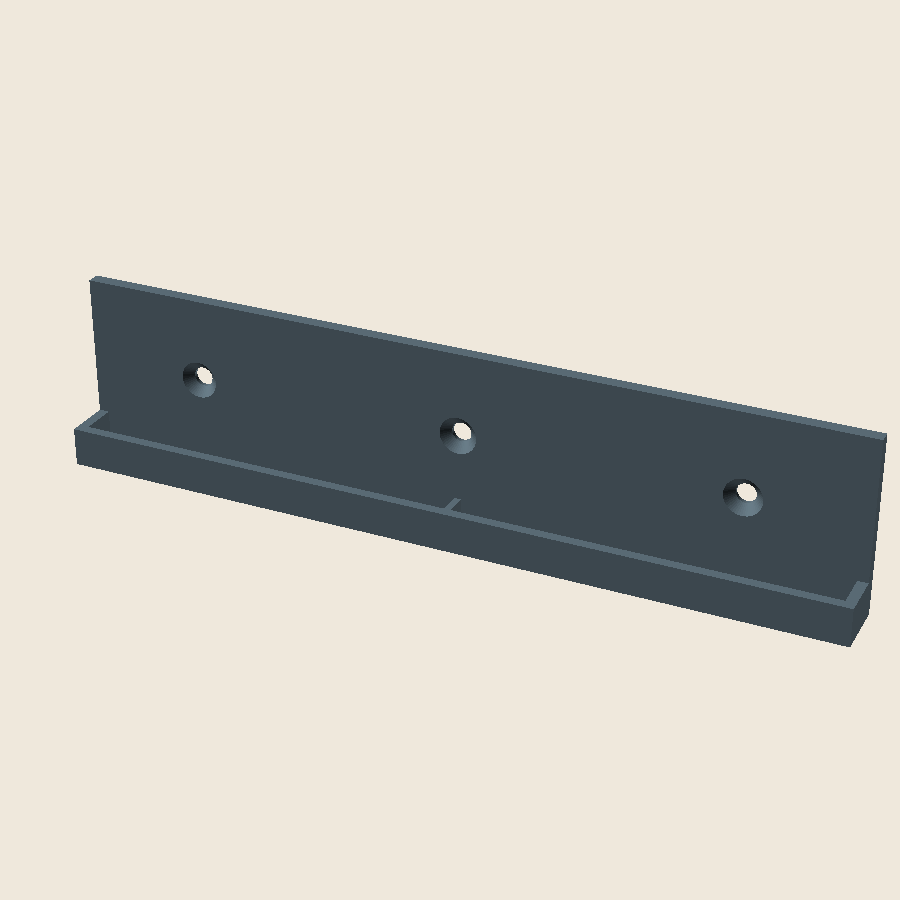
Ledge for graded slabs side by side on the wall or on an acoustic panel. End stops can be left off so several ledges form one continuous row.
Settings
Slab
- grading company: default CloudCard
- width (custom): default 77.1
- height (custom): default 129.0
- thickness (custom): default 7.25
Ledge
- number of slabs: default 2.0
- gap: default 8.0
- end stops: default Both
- mounting: default Wand
- back height: default 0.3
Fit
- room at the front: default 1.2
Details
- plate thickness: default 3.0
- front edge height: default 6.0
- front edge thickness: default 2.4
- screw hole: default 4.5
- countersink: default 8.6
- slot travel: default 15.0
Step by step
- Slabs and mounting Grading company, number of slabs and gap set the ledge. “Mounting”: wall with countersunk holes or acoustic panel with slots for wing nuts.
- Preview and download “Generate preview” calculates the model again (with Fomio Pro on every change by itself). Then download it as STL or 3MF.
- Help Behind the question mark you find this tour and answers to common questions.
Frequently asked questions
I need more slabs in a row.
Mount several ledges side by side; end stops only at the outer ends.
My grading company is missing.
Choose “Custom” and enter width, height and thickness of the slab.