Slab storage box – guide and settings
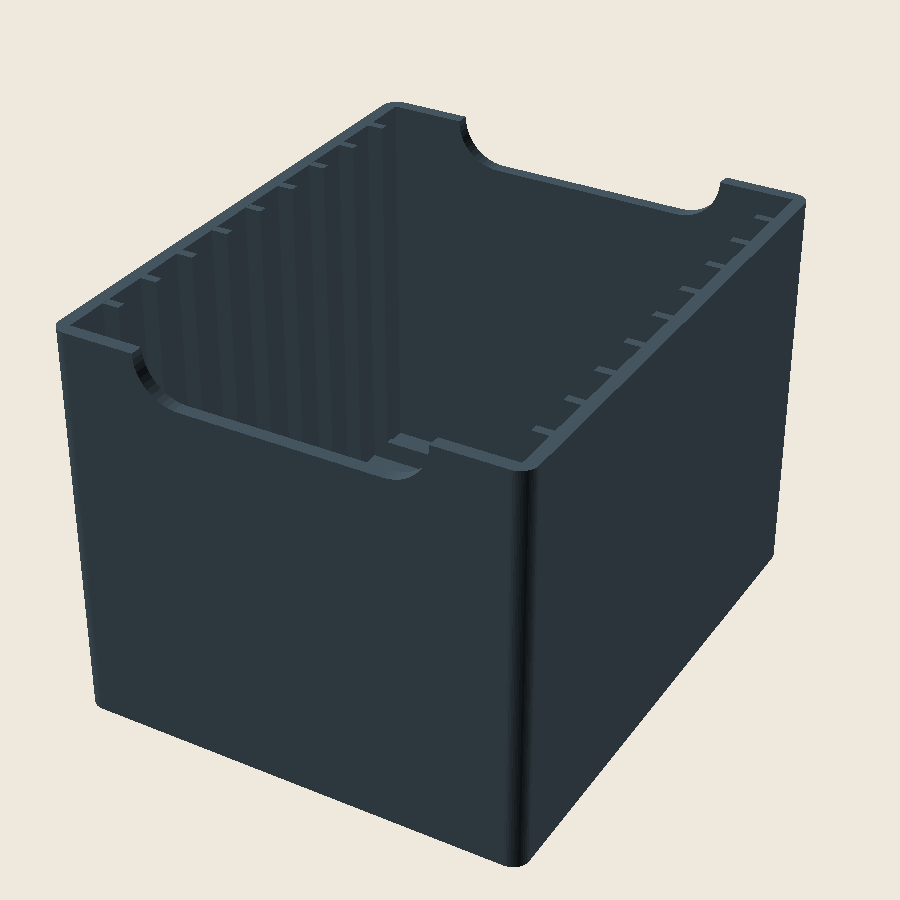
Box with a slot for each of 2 to 20 graded slabs (CloudCard, PSA, BGS, CGC, SGC, TAG or custom). The slabs stick out at the top so they are easy to grab; an optional lid covers them.
Settings
Slab
- Grading company (third-party measurements); Custom uses your own values: default CloudCard
- custom width (Custom only): default 77.1
- custom height (Custom only): default 129.0
- custom thickness (Custom only): default 7.25
Box
- number of slabs: default 10.0
- box height as a fraction of the slab height (the rest sticks out to grab): default 0.55
- handle notches in the end walls: default on
- lid over the slabs (printed next to the box): default off
Fit
- room per slab in the thickness direction: default 1.0
- room left and right of the slabs: default 1.0
Details
- wall thickness: default 2.4
- floor thickness: default 2.0
- thickness of the rails between the slabs: default 1.6
Frequently asked questions
My grading company is missing.
Choose “Custom” and enter width, height and thickness of the slab.
How far do the slabs stick out?
The box height as a share of the slab height sets it – smaller means more slab to grip.