Round counter – guide and settings
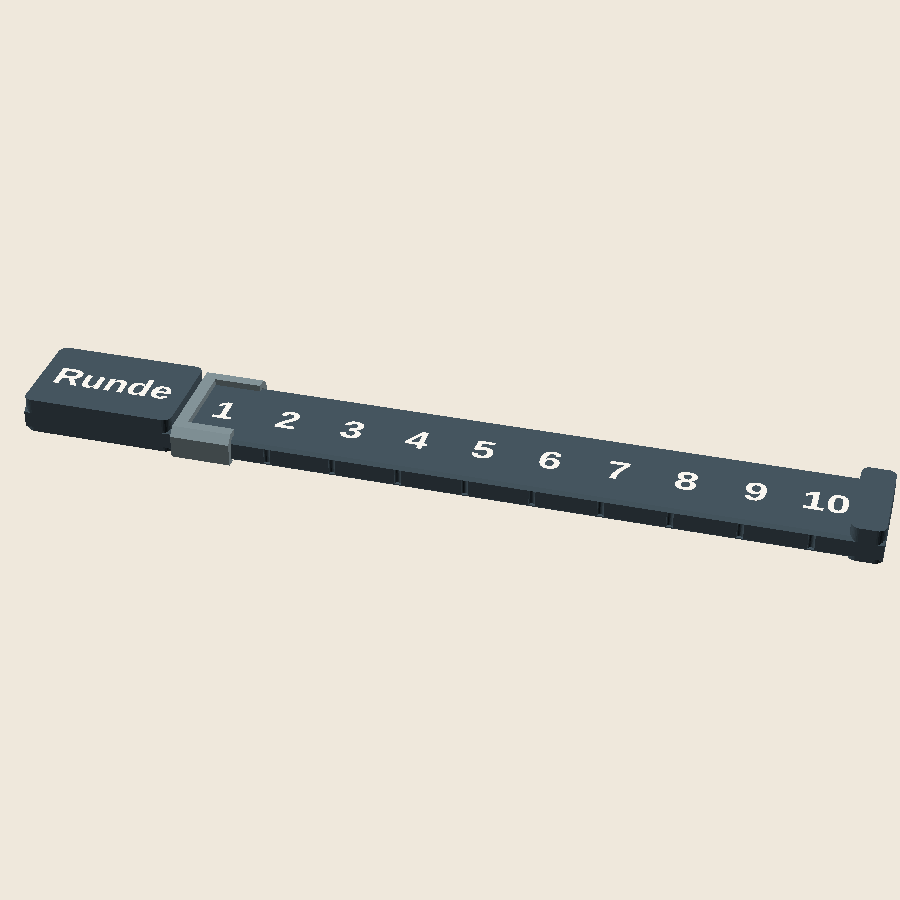
Bar with numbered fields and a marker that clicks from field to field – for rounds, phases or victory points. Number of fields, first number and label as you like, up to three markers. Numbers flush in a second colour.
Settings
Counter
- fields: default 10.0
- first number: default 1.0
- label: default Runde
- markers: default 1.0
- coloured numbers: default on
Size
- field length: default 16.0
- bar width: default 24.0
Fit
- play of the marker: default 0.3
Step by step
- Fields and markers Choose how many fields the bar has and the number it starts with. Several markers help when you want to show round and phase at the same time.
- Preview and download “Generate preview” calculates the model again. The 3MF holds the colours – in the slicer you assign a filament to each colour; the STL is single-coloured.
- Help Behind the question mark you find this tour and answers to common questions.
Frequently asked questions
How does the marker get onto the bar?
Press it on from above: the side walls give a little and snap under the edge of the bar. The blocks at the ends then keep it on the bar.
The marker is stiff or too loose.
In “Expert” change the “play of the marker”: larger if it slides stiffly, smaller if it wobbles.
Can I count victory points up to 20?
Yes, with 20 fields and a short field length (12 mm). If the bar does not fit the print bed, print two bars, e.g. 1–10 and 11–20 with “first number: 11”.