Life counter – guide and settings
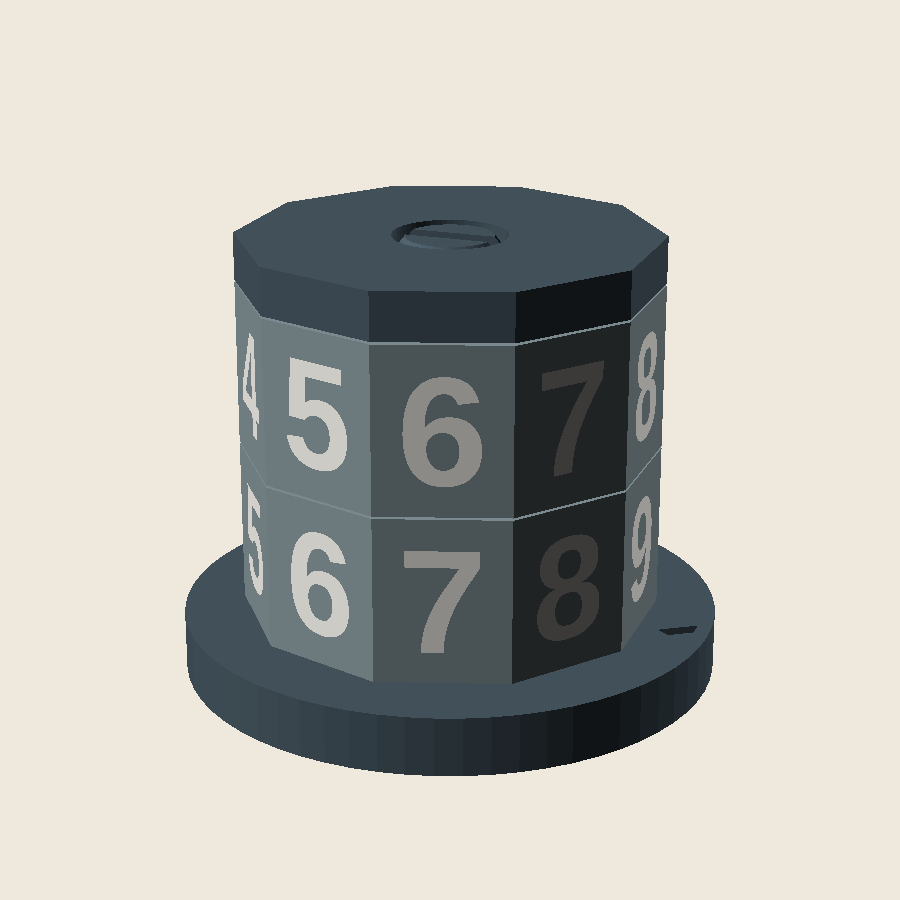
Spin counter with two or three digit rings (up to 99 or 999) for life points. The rings click into place, the digits can be filled with a second colour. All parts print flat without supports.
Settings
Counter
- digit rings: default 2.0
- size: default 34.0
- ring height: default 14.0
- coloured digits: default on
Fit
- ring play: default 0.35
- play in the cover: default 0.15
- click: default 0.3
Step by step
- Rings and size Two digit rings count to 99, three to 999. The digits can be filled in a second colour (coloured 3MF).
- Preview and download “Generate preview” calculates the model again. The 3MF holds the colours – in the slicer you assign a filament to each colour; the STL is single-coloured.
- Help Behind the question mark you find this tour and answers to common questions.
Frequently asked questions
How do I assemble the counter?
All parts lie flat on the plate. Put the rings on the axle and press the cover on – done, no glue.
The rings turn hard.
In “Expert” raise the “play” a little; “click” sets how firmly they click at each digit.