Hand card holder – guide and settings
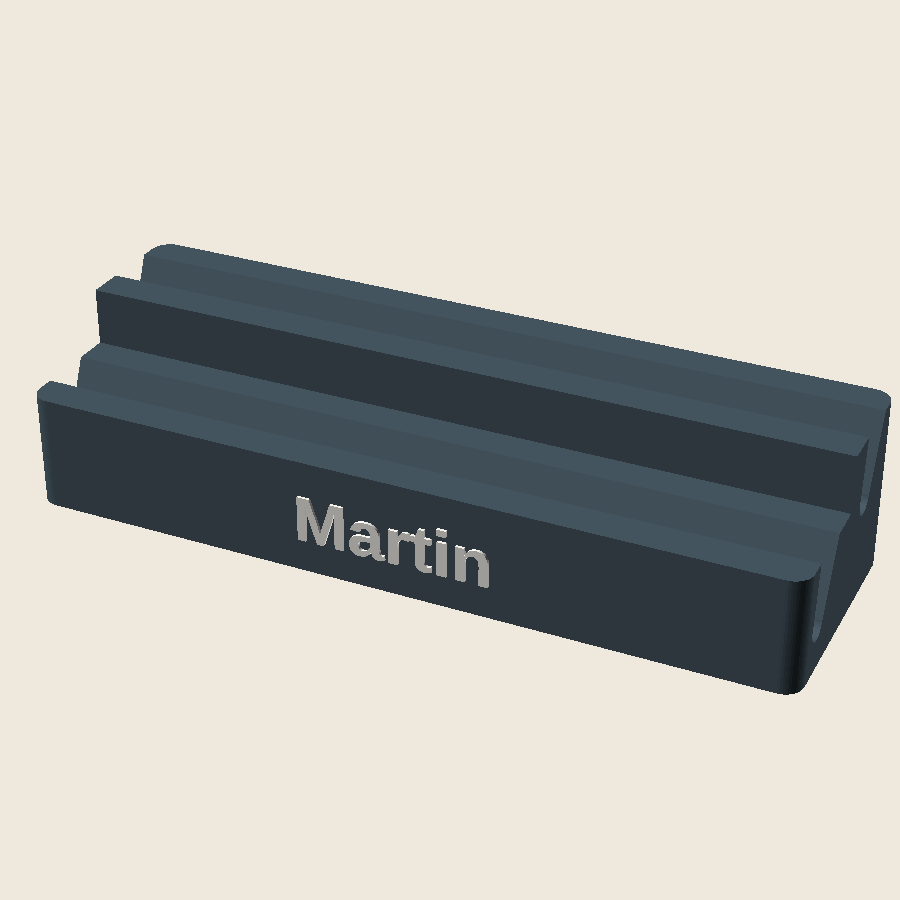
Holds the cards of your hand upright on the table in front of you – for kids, big hands or long games. Length, tilt and number of cards adjustable, up to three stepped rows, optionally with a name at the front.
Settings
Cards
- sleeves: default Single
- cards per row: default 10.0
Holder
- length: default 160.0
- rows: default 1.0
- tilt (°): default 15.0
- slot depth: default 14.0
- slot opening: default 3.0
- height front row: default 24.0
- step per row: default 12.0
- row depth: default 26.0
Label
- name
- coloured text: default on
Step by step
- Cards and holder Sleeves and cards per row set the width of the slot. Adjust length, tilt and the number of rows to your hand – every further row stands higher so all cards stay visible.
- Preview and download “Generate preview” calculates the model again. The 3MF holds the colours – in the slicer you assign a filament to each colour; the STL is single-coloured.
- Help Behind the question mark you find this tour and answers to common questions.
Frequently asked questions
The cards slip out too easily.
Set “cards per row” to the number you really hold – the slot gets narrower. In “Expert” a smaller “slot opening” helps too.
The holder tips over backwards.
In “Expert” make the “row depth” larger or the “tilt” smaller. Several rows make the holder steadier by themselves.