Deck box with sliding lid – guide and settings
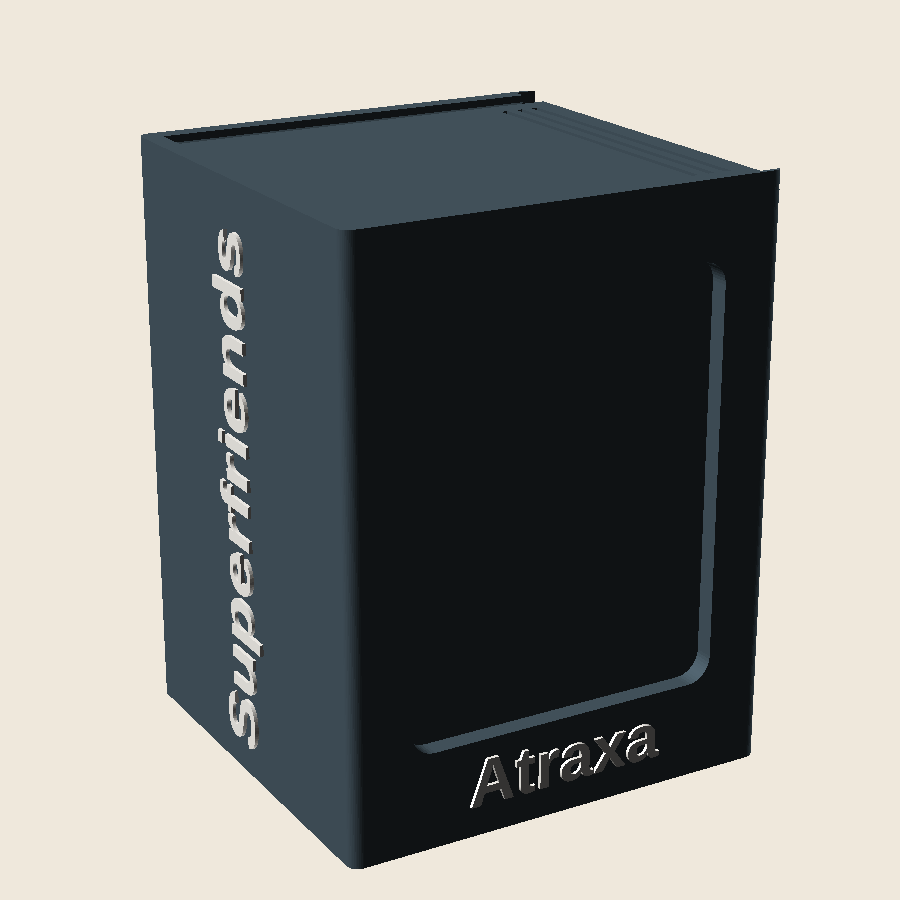
Deck box for 10 to 200 sleeved cards with an optional commander window and labels on the front and side. The lid slides in dovetail grooves and cannot fall out. Box and lid print side by side without supports.
Settings
Cards
- card format: default TCG 63x88
- card width (custom): default 63.0
- card height (custom): default 88.0
- sleeves: default Single
- number of cards: default 100.0
Box
- commander window: default off
- token compartment (mm): default 0.0
- room around the cards: default 1.0
- wall: default 3.2
Labels
- front label
- spine label
- coloured text: default on
Lid
- lid play: default 0.3
- lid click: default 0.6
- lid thickness: default 2.0
Step by step
- Cards and label Card format, sleeves and count set the size. Optional: a commander window at the front, a compartment for counters and dice and a label on the front or the spine.
- Preview and download “Generate preview” calculates the model again. The 3MF holds the colours – in the slicer you assign a filament to each colour; the STL is single-coloured.
- Help Behind the question mark you find this tour and answers to common questions.
Frequently asked questions
The sliding lid is tight.
In “Expert” raise the “lid play” a little and print the lid again.
My cards are not in the list.
Choose card format “Custom” and enter the width and height of the card.
How do I get coloured text?
Switch on “coloured text” and download the 3MF; in the slicer the text gets a second filament.