Counter dial – guide and settings
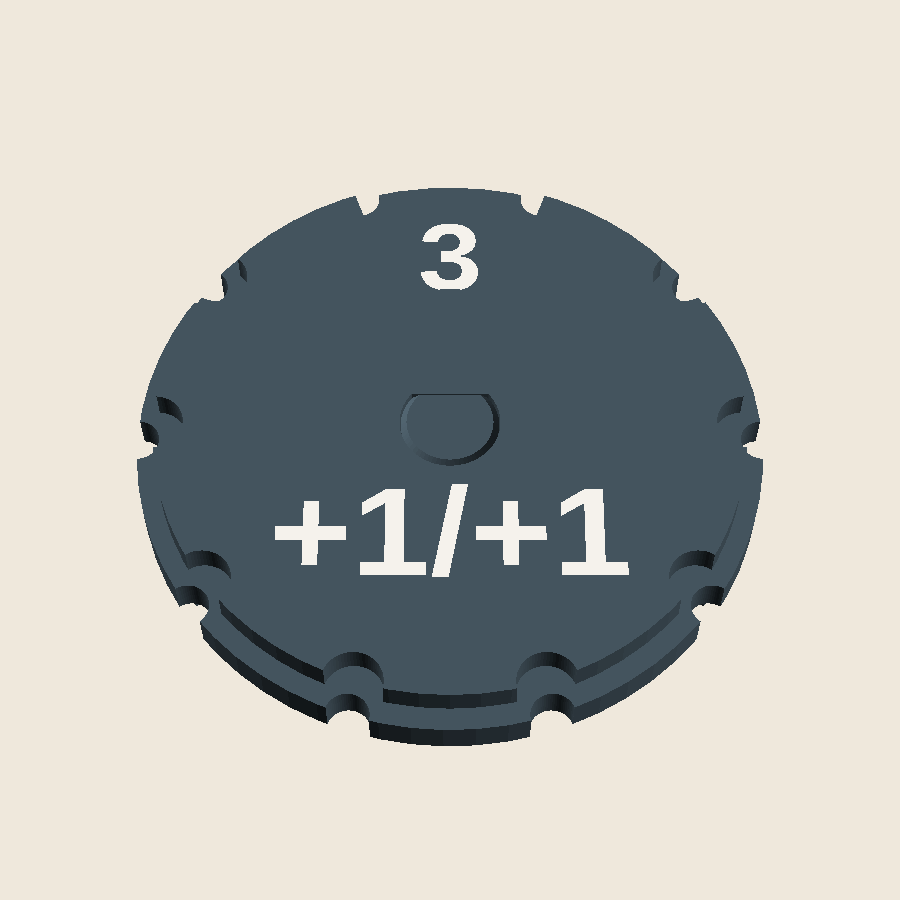
Dial for counters in Magic: The Gathering – +1/+1, -1/-1, loyalty, poison, commander damage, food, treasure and more – 1–10 on the front, 11–20 on the back (the base has its own window and name), commander damage up to 21. The disc clicks into place at every number, the cover is pressed on without glue and always sits straight.
Settings
Counter
- counter: default +1/+1
- own name: default Counter
- numbers (custom): default 20.0
- diameter: default 30.0
Colours
- coloured text: default on
Fit
- disc play: default 0.2
- play in the cover: default 0.05
- click: default 0.5
Step by step
- Choose the counter Choose what to count – every counter brings the right numbers (1–10 on the front, 11–20 on the back). With “Custom” you write your own name on the cover.
- Preview and download “Generate preview” calculates the model again. The 3MF holds the colours – in the slicer you assign a filament to each colour; the STL is single-coloured.
- Help Behind the question mark you find this tour and answers to common questions.
Frequently asked questions
How do I assemble the dial?
All parts lie flat on the plate. Put the disc on the axle and press the cover on – it holds without glue and sits straight thanks to the flat side of the axle.
The disc turns too hard or too easily.
In “Expert”: a smaller “click” makes the disc turn more easily, a larger one makes it click more firmly at every number. Only raise “disc play” if the disc rubs in its hole.
The cover does not hold.
Make “play in the cover” smaller (0 = press fit) and print again.