Box for counter dials – guide and settings
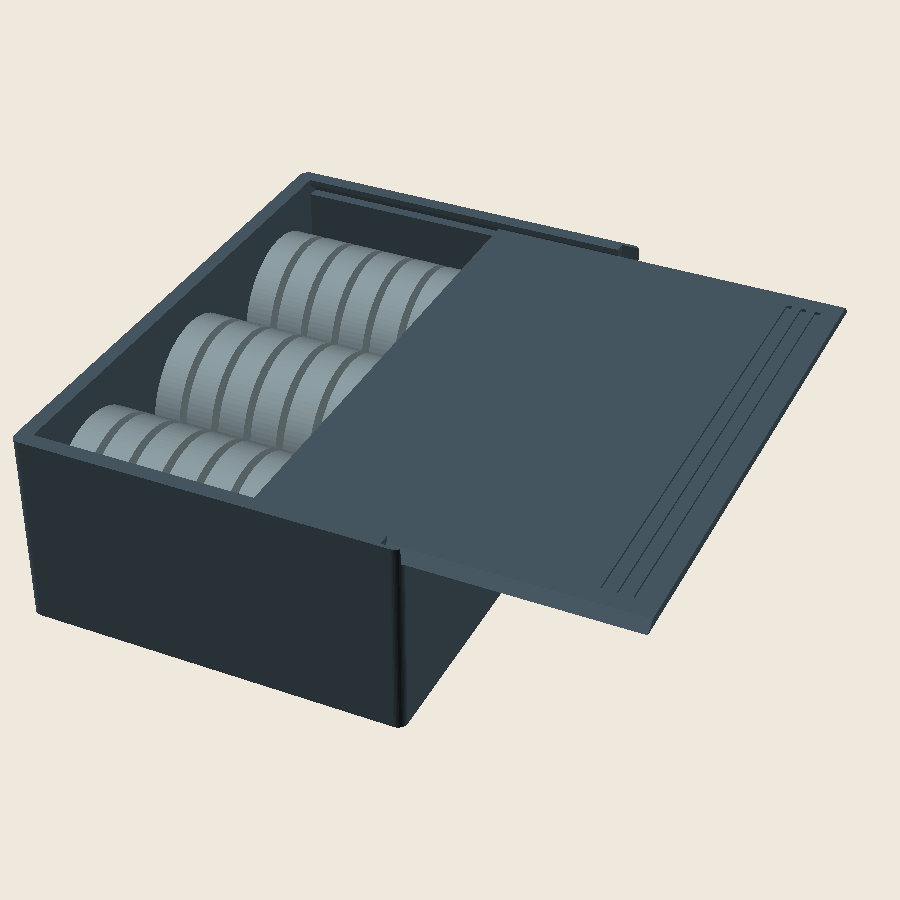
Box with a sliding lid for the counter dials: every dial stands on edge in its own slot and cannot tip over; the rows are spaced for your fingertips. Choose the number of rows and dials per row – the box is calculated for exactly that many (default 3 × 10 = 30). The lid slides in dovetail grooves and cannot fall out.
Settings
Counters
- rows: default 3.0
- counters per row: default 10.0
- counter diameter: default 30.0
- grip gap: default 4.0
Fit
- room around the counters: default 0.8
- wall: default 3.2
- lid play: default 0.3
- lid click: default 0.6
Step by step
- For your counters Choose rows and counters per row – the box is calculated for exactly that many. Set the diameter as for the counter dial.
- Preview and download “Generate preview” calculates the model again. The 3MF holds the colours – in the slicer you assign a filament to each colour; the STL is single-coloured.
- Help Behind the question mark you find this tour and answers to common questions.
Frequently asked questions
The sliding lid is tight.
In “Expert” raise the “lid play” a little and print the lid again.
Which diameter fits?
The same as for the counter dial – usually 30 mm, 33 mm with Treasure.