Commander drawer module – guide and settings
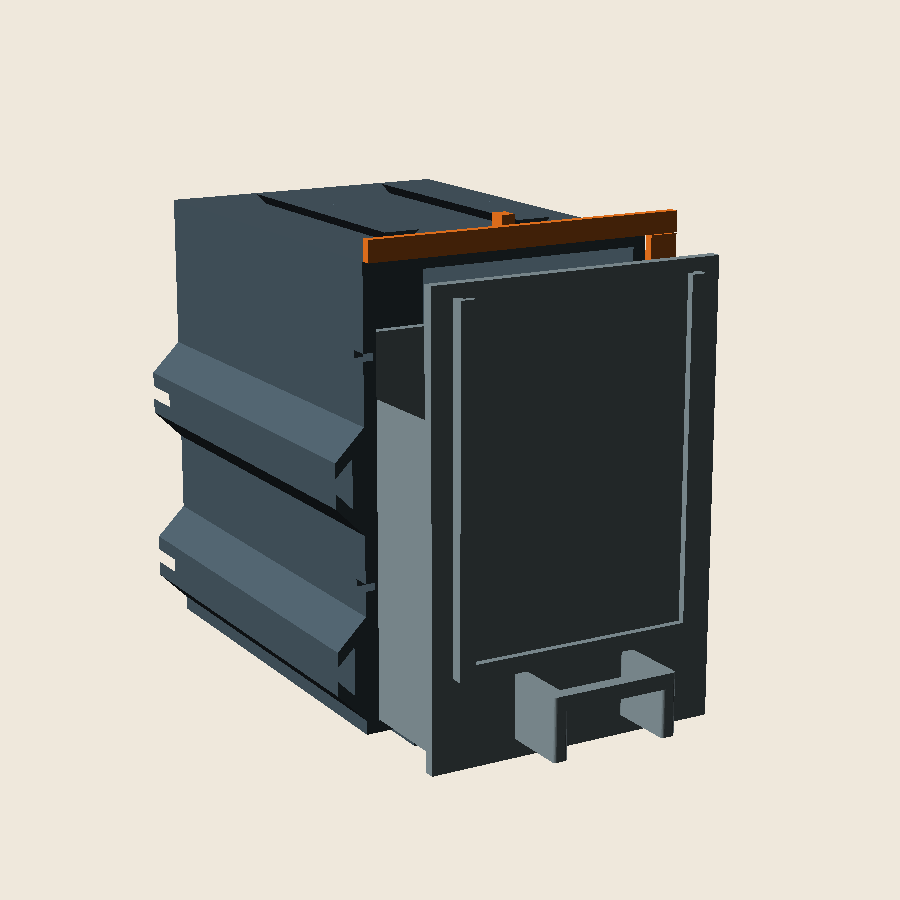
Stackable drawer module with a display window for a sleeved commander card and a bow handle. Housings join sideways and on top with dovetails, coloured joint covers hide the gaps. Width, height, depth and drawer height adjustable – as a coloured 3MF with all parts.
Settings
Size
- width: default 84.0
- height: default 124.0
- depth: default 116.0
Drawer
- drawer height: default 84.0
- card window: default on
- handle: default on
- no supports: default off
Export
- part: default All parts
Step by step
- Housing, drawer, parts Width, height and depth of the housing, plus window and handle. “Part” chooses what you download: all parts ready to print, single parts or “Assembled” to look at.
- Preview and download “Generate preview” calculates the model again. The 3MF holds the colours – in the slicer you assign a filament to each colour; the STL is single-coloured.
- Help Behind the question mark you find this tour and answers to common questions.
Frequently asked questions
How do I join several modules?
The housings have dovetails at the sides and on top – just slide them together. The coloured joint covers hide the gaps.
Why is the window not available?
The window needs a housing of 124 mm height for a sleeved commander card – make it higher.
Does it print without supports?
Yes, with “No supports”: the front ends flush with the floor and the handle ribs reach down.